2. Daily Entry
The daily entry is the core feature of LifeChart. Open it via the "Today" tab.
Quick Mode
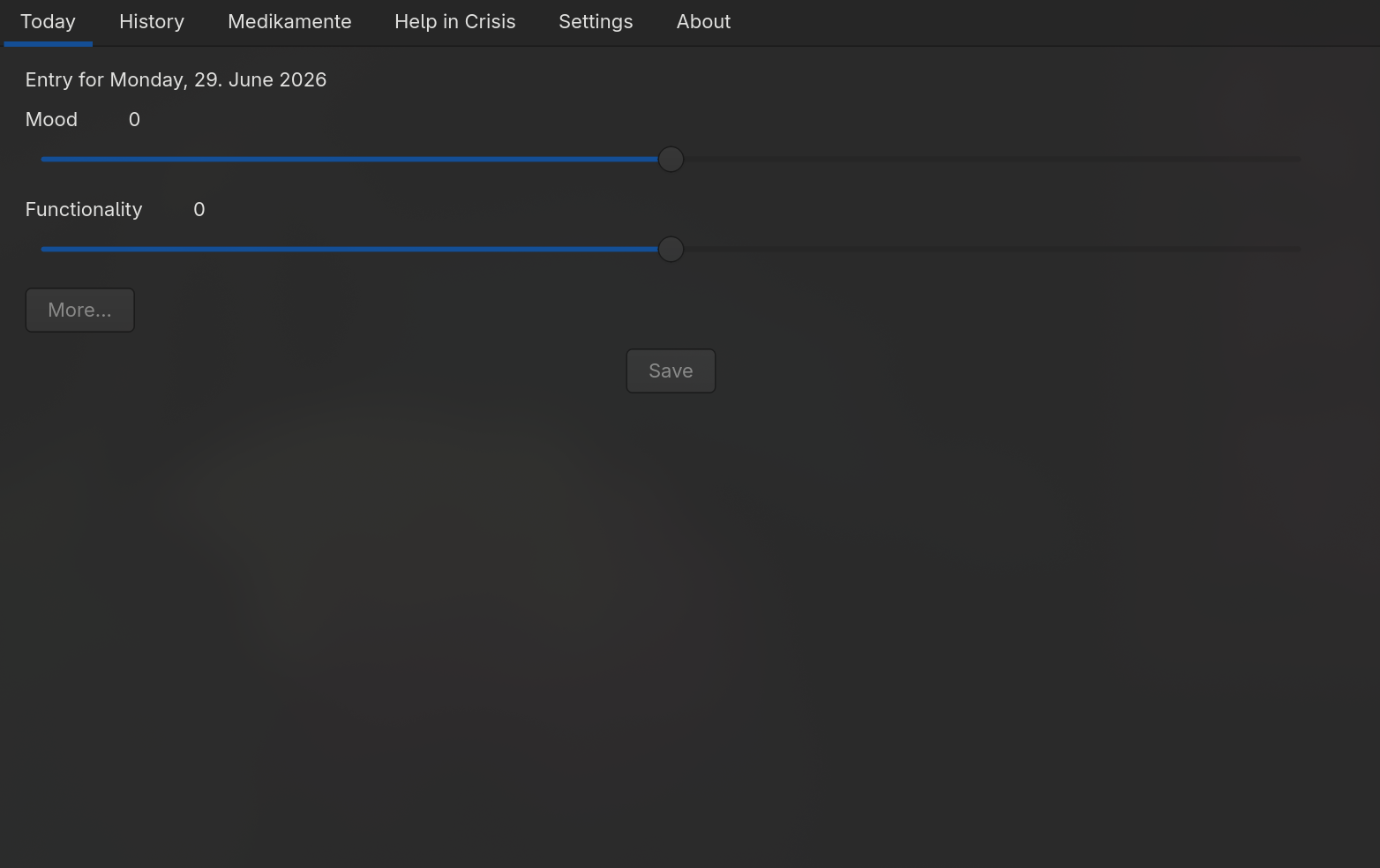
In quick mode you see two sliders:
| Slider | Scale | Meaning |
|---|---|---|
| Mood | −5 to +5 | Your subjective well-being (−5 = severe depression, +5 = severe mania) |
| Functionality | −5 to +5 | How well you were able to manage your daily life |
The current value is displayed to the right of each slider (e.g. +2 or −3). A value of 0 means neutral.
Tap "Save" to store the entry.
Full Mode
Tap "More" to expand the extended fields.
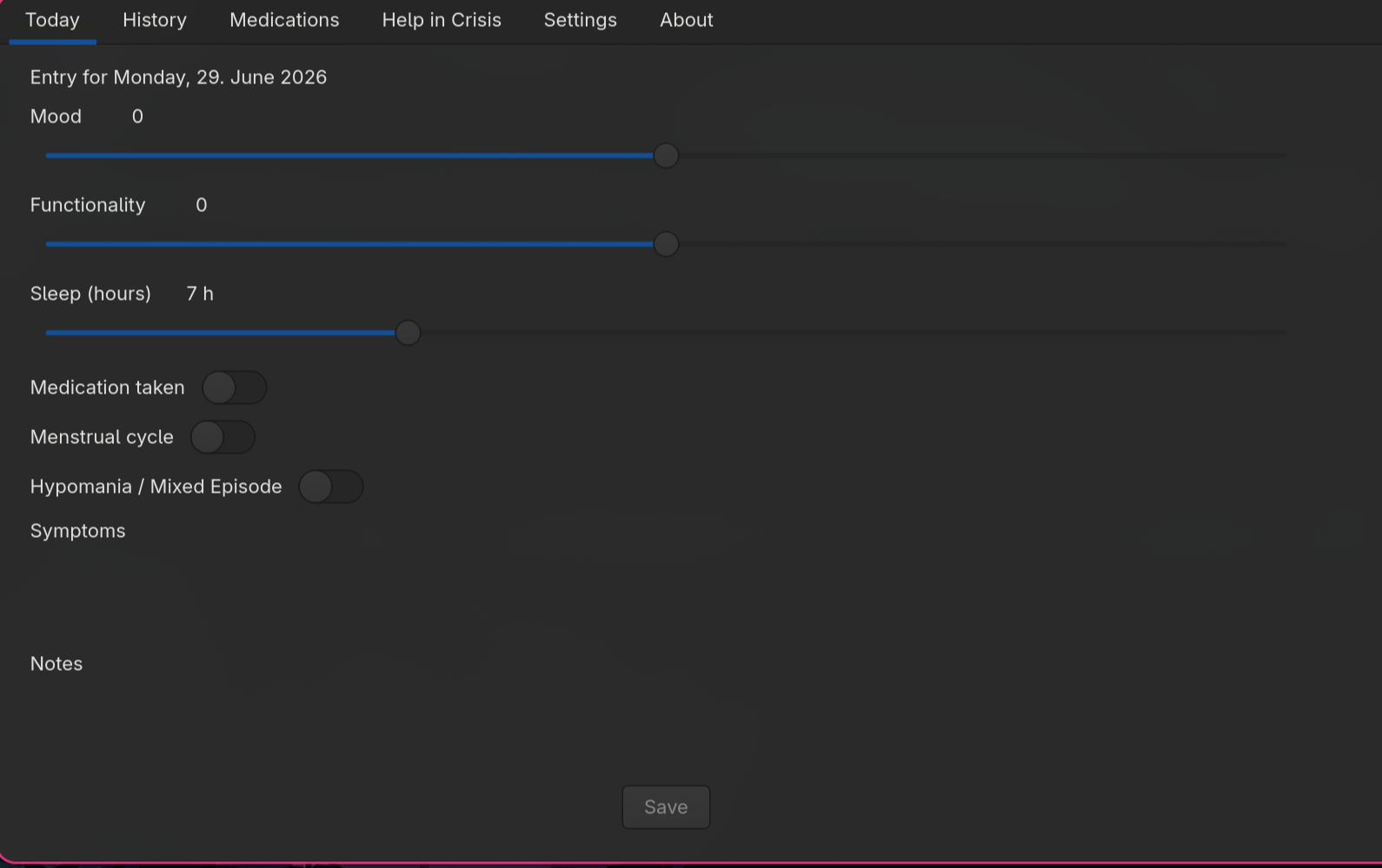
Additional fields:
| Field | Description |
|---|---|
| Sleep hours | Hours slept (slider 0–24 h) |
| Medication taken | Did you take your medications today? |
| Menstrual cycle | Optional marker for hormonally influenced phases |
| Hypomania | Marker for hypomanic phases (appears as a purple marker in the chart) |
| Symptoms | Free text for physical or psychological symptoms |
| Notes | Free text for anything else (events, thoughts) |
Tip: In Settings you can configure the default input mode (Quick, Full, or always ask).
Critical Values
If both mood and functionality are at −4 or below, LifeChart flags the entry as critical and shows a warning along with a button to the crisis resources.
Editing an Existing Entry
If you open the "Today" tab again on the same day, the existing values are loaded automatically. Saving again overwrites the existing entry.